

Step into the world of Midjourney AI, where words transform into images. Your prompts are the magic words that guide the AI to bring your visions to life.
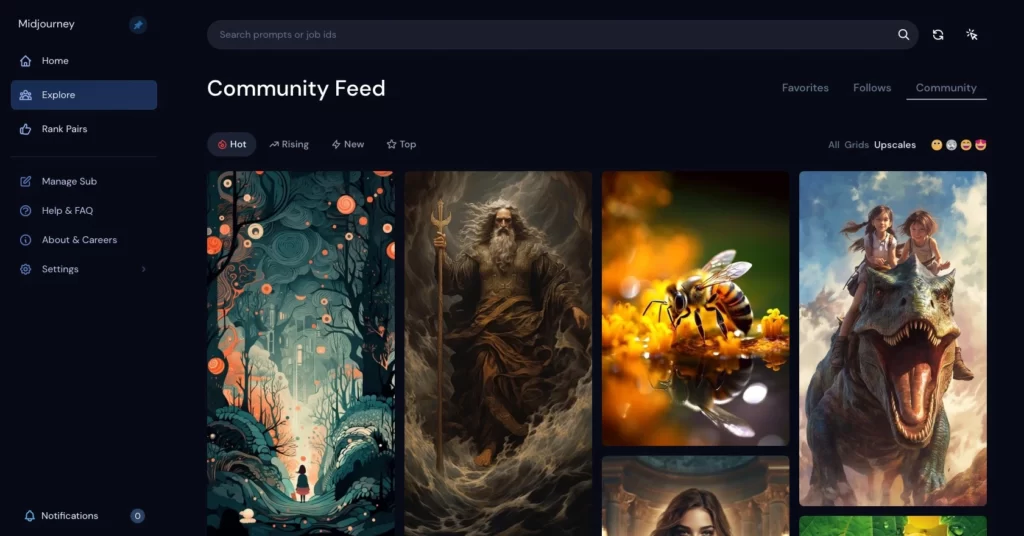 https://www.midjourney.com/app/feed/
Understanding Midjourney AI
Welcome to the future of digital artistry with Midjourney AI – a cutting‑edge tool that is transforming the landscape of design. But what exactly is Midjourney AI, how does it operate, and why is it a game‑changer?
Midjourney AI is an artificial‑intelligence model designed to create dynamic, high‑quality images from text prompts. This ingenious tool is a product of innovative minds who envisioned a world where technology and artistry intertwine seamlessly.
Brief History
Midjourney AI is a generative artificial‑intelligence program, created and hosted by the San Francisco‑based independent research lab Midjourney, Inc. The platform generates images from natural‑language descriptions (“prompts”) much like OpenAI’s DALL‑E and Stable Diffusion.
- Founded in 2022 by David Holz, former co‑founder of Leap Motion.
- Entered open beta on July 12 2022.
- Early excitement sparked within the art world; artists could now craft surreal images impossible to create by hand.
Key points:
- Midjourney was founded in 2022 by David Holz, who previously co‑founded Leap Motion.
- Despite being early‑stage, it has stirred significant excitement in the art community.
- In July 2022, a small group of beta testers received access, producing impressive results.
- Ongoing development promises to revolutionize how art is created, giving creators freedom from tool constraints.
The underlying principle of Midjourney AI is its ability to interpret and execute user prompts—short, descriptive phrases that tell the AI what image to generate. Prompts can describe a scene, an object, a mood, or a color scheme. The model uses its extensive training data to comprehend these prompts and generate an image that aligns as closely as possible with the description.
Guiding principles:
- Be specific – detailed prompts help the AI understand your request. Include scene type, object, color scheme, mood, style, and any visual elements that matter.
- Experiment – AI may interpret prompts in unexpected ways; try variations to discover what works best.
- Know the limits – Complex or abstract prompts can be challenging; results may not always match your exact vision.
The journey of mastering Midjourney prompting is one of exploration and creativity. Let’s dive in and unleash AI’s power to create stunning visuals.
The Art and Science of Prompting
Creating prompts for Midjourney AI is both an art and a science. It balances creativity, precision, and an understanding of how the model interprets instructions. Whether you craft a simple or complex prompt, the goal is the same: guide the AI to generate an image that matches your vision.
The Art
The “art” side is pure imagination. You paint with words, using vivid descriptions, analogies, and metaphors. Your personal style decides whether the result is dreamy and surreal or realistic and detailed. Do you want a whimsical fantasy scene or a photorealistic portrait? Your word choice sets the tone.
The Potential
With the right prompt, you can generate anything—from breathtaking landscapes to intricate portraits, abstract designs, or surreal art pieces. Experiment with styles, themes, and moods to produce images uniquely yours.
The Science
Understanding how Midjourney works lets you craft more effective prompts. Midjourney uses a transformer model that processes the entire prompt as a sequence, so word order and relationships matter. It also has a knowledge cutoff, meaning references to very recent events may be ignored. Specifying aspect ratio (e.g., –ar 16:9) and other parameters directly influences the output.
There is no single “right” way to prompt; it’s an iterative, experimental process. Embrace the unexpected and let serendipity guide you.
The Benefits of Effective Prompting
Crafting effective prompts brings several tangible benefits:
Efficiency and Time‑Saving
A well‑crafted prompt reduces trial‑and‑error cycles, delivering the desired image in fewer iterations.
Precision and Control
Specific wording gives you tighter control over style, palette, composition, and mood.
Creativity and Experimentation
Detailed prompts unlock new creative avenues, encouraging playful exploration.
Personalization and Uniqueness
Embedding your personal style creates images that stand out and reflect your identity.
Learning and Growth
Prompt engineering deepens your understanding of AI, sharpening communication, creativity, and critical thinking skills.
Crafting the Perfect Prompt
Mastering prompting means understanding prompt structure, types, and crafting techniques. Below is a quick guide.
Structure of a Prompt
A typical prompt contains:
- Subject – the main focus.
- Style – visual aesthetic or artistic movement.
- Scene – environment, lighting, time of day.
- Composition – arrangement of elements.
- Aspect Ratio – e.g.,
–ar 4:3.
Prompt Example
Prompt: “Majestic peacock 🦚 spreading its vibrant, iridescent plumage in a radiant display, bathed in the soft glow of sunset, set against the serene backdrop of an ancient mossy stone wall –ar 4:3”
Breakdown:
- Subject: Majestic peacock 🦚
- Action: spreading its vibrant, iridescent plumage
- Style: in a radiant display
- Scene: bathed in the soft glow of sunset
- Composition: set against the serene backdrop of an ancient mossy stone wall
- Aspect Ratio:
–ar 4:3
Types of Prompts
- Simple: A few descriptive words.
- Complex: Detailed layers, multiple descriptors, explicit parameters.
Complex Prompt Example
Prompt: “A steampunk‑inspired owl, adorned with bronze gears and mechanical wings, perched atop an ancient, moss‑covered clock tower under a vibrant sunset sky —ar 3:2”
Breakdown:
- Subject: Steampunk‑inspired owl
- Style: Bronze gears, mechanical wings
- Scene: Perched atop an ancient, moss‑covered clock tower under a vibrant sunset sky
- Aspect Ratio: 3:2
Both simple and complex prompts are useful—choose based on the image’s desired intricacy.
Prompt Crafting Strategies
- Creativity – blend vivid, unique descriptors; experiment with metaphors.
- Multilingualism – sprinkle words from other languages for flavor.
- Slang – modern colloquialisms can add contemporary vibe.
- Emoji – emojis act as visual shorthand (
🏞️for landscape). - Grammar – prioritize adjectives, nouns, prepositions, verbs.
- Components – always cover subject, style, scene, composition.
- Aspect Ratio – append
–ar WIDTH:HEIGHTat the end. - Originality – avoid repetition; each prompt should feel fresh.
- Layers – describe multiple depth elements for richer images.
- Format – follow a consistent layout (subject → style → scene → composition → ratio).
Practical Applications of Midjourney
Midjourney isn’t just for art; it serves many real‑world use cases.
Envisioning Realism
Even realistic scenes are possible with precise prompts.
 Prompt: “A serene mountain landscape at sunrise, with mist hovering over the valleys and the first rays of the sun illuminating the snow‑capped peaks –ar 16:9 –s 750 –q 1 –v 5.1”
 Prompt: “A detailed close‑up of a monarch butterfly, with its vibrant orange and black wings, resting on a dew‑kissed marigold –ar 4:3 –s 750 –q 1 –v 5.1”
Portraits Come to Life
Realistic human portraits benefit from nuanced language.
 Prompt: “A close‑up portrait of a man with a thoughtful expression, salt‑and‑pepper beard, wearing round spectacles and a tweed jacket –ar 3:4 –s 750 –q 1 –v 5.1”
 Prompt: “A child’s portrait, showing bright blue eyes full of wonder, a dusting of freckles, and a cap of curly auburn hair –ar 3:4 –s 750 –q 1 –v 5.1”
Product Photography
Visualize product concepts before a shoot.
 Prompt: “A sleek wireless glossy orange headset with cat ears, placed on a white surface –ar 7:4 –s 750 –q 1 –v 5.1”
 Prompt: “A luxury perfume with a vintage bottle –ar 7:4 –s 750 –q 1 –v 5.1”
Logo Design
Generate ideation concepts for branding.
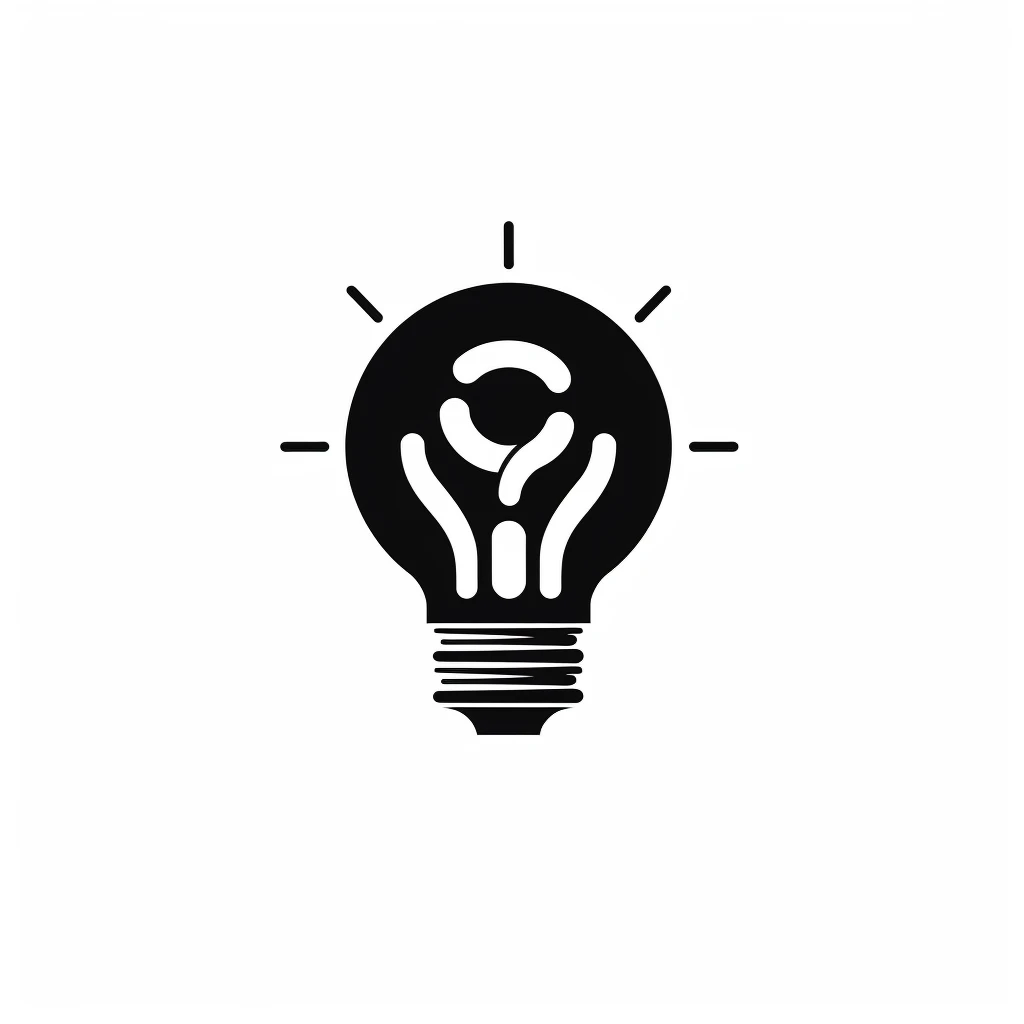 Prompt: “A simple flat logo icon representing innovation, black and white –s 750 –q 1 –v 5.1”
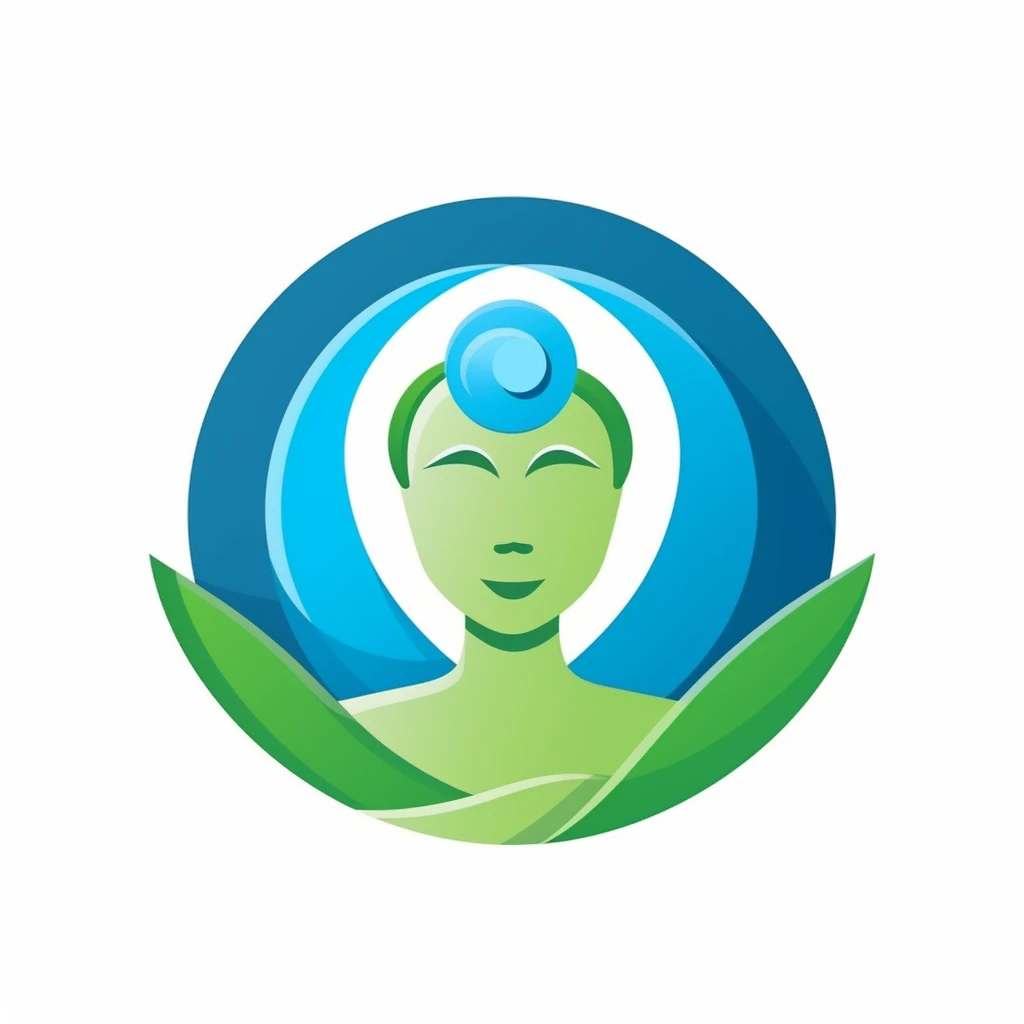 Prompt: “A simple character icon symbolizing sustainable energy, featuring elements of nature, in green and blue on a white background –s 750 –q 1 –v 5.1”
These examples only scratch the surface—Midjourney’s versatility lets you explore endless use‑cases limited only by imagination.
Midjourney Cheat Sheet
A quick reference for crafting effective prompts:
- Subject – what you want to see.
- Style – artistic direction (e.g., watercolor, cyberpunk).
- Scene – setting, lighting, time of day.
- Composition – arrangement of elements.
- Aspect Ratio –
–ar WIDTH:HEIGHT. - Creativity – vivid, unique language.
- Multilingualism – foreign words for flavor.
- Slang – modern colloquialisms.
- Emoji – visual shorthand.
- Grammar – clear adjectives, nouns, prepositions, verbs.
- Originality – keep each prompt fresh.
- Layers – add depth with multiple detail levels.
Feel free to mix, match, and iterate—these are guidelines, not hard rules.
Glossary
- Aspect Ratio – width‑to‑height proportion of the final image.
- Composition – how elements are arranged within the frame.
- Creativity – using unique, vivid descriptors.
- Emoji – emoji characters that add visual cues.
- Grammar – choice of descriptive words to paint a clear picture.
- Layers – stacked detail levels that enrich the prompt.
- Midjourney AI – the generative model that creates images from text.
- Multilingualism – inclusion of non‑English words for nuance.
- Originality – ensuring each prompt yields a distinct result.
- Scene – the environment or backdrop.
- Slang – contemporary informal language.
- Style – aesthetic or artistic direction.
- Subject – the primary focus of the image.
F.A.Q.
What is Midjourney AI? Midjourney is a generative AI platform that converts textual prompts into high‑quality images. It supports style, mood, lighting, and composition controls, making it popular among artists, designers, marketers, and game developers.
How does it work?
- User Input: You provide a text prompt (simple or detailed).
- AI Processing: Midjourney uses diffusion‑based models trained on massive image‑text datasets to interpret the prompt.
- Image Generation: It typically returns four variations; you can upscale or request variations.
- Interaction: You iterate—refine prompts, upscale, or vary until satisfied. Originally accessed via Discord; now also available through a web UI (as of Aug 2024).
What makes a good prompt?
- Be descriptive (subject, style, scene, composition).
- Specify art style (watercolor, photorealistic, etc.).
- Add mood/lighting cues.
- Use strong adjectives.
- Include aspect ratio (
–ar). - Iterate and refine based on outputs.
Why specify aspect ratio?
- Controls framing and focus.
- Ensures the image fits its intended platform (social media, banner, print).
- Saves post‑processing time.
Can I use emojis? Yes. Emojis act as visual shorthand (e.g., 🏞️ for landscape) and can guide the AI’s mood or subject. Results can be unpredictable, so experiment.
What kinds of images can Midjourney create?
- Artistic styles: abstract, surreal, impressionist, minimalist, watercolor, oil, pencil sketch.
- Realistic images: portraits, landscapes, macro photography.
- Fantasy / Sci‑Fi: cyberpunk cities, alien worlds, mythical creatures.
- Concept art: “a clock made of clouds”, “dragon of glass”.
- Brand assets: logos, icons.
- Custom scenes: “cozy Paris café”, “zen garden”.
How do I keep prompts original?
- Avoid generic wording.
- Mix unusual concepts (e.g., “steampunk octopus playing piano in a submerged ballroom”).
- Change styles between runs.
- Use emojis and multilingual words for flavor.
- Iterate, upscale, and add new details.
What are “layers” in a prompt? Layers are logical sections that break the prompt into manageable parts:
- Subject Layer – main focus.
- Environment Layer – setting/background.
- Style Layer – artistic direction, mood, palette.
By layering, you give the model clear, prioritized instructions, improving clarity and detail.
Can I experiment with format? Absolutely. Try narrative sentences, bullet‑style lists, or minimal prompts. Example formats:
- Narrative: “In a distant galaxy, a lone spaceship drifts through a violet nebula.”
- Keyword list: “Futuristic, high‑tech, neon lights, dark atmosphere.”
- Structured:
Subject: Crystal phoenix Setting: Snow‑capped mountain peak Style: Hyper‑realistic - Emoji‑rich: “🏞️ A serene lake, 🦋 surrounded by wildflowers, watercolor style.”
Any final tips? Prompt engineering is a skill that improves with practice. Keep experimenting, note what works, and enjoy the creative partnership with the AI.
END_OF_REPORT 🌿✨