


Git is powerful, but it’s notorious for having commands and terms that sound alike, look alike, or feel like they should do the same thing—but behave very differently under the hood.
Whether you’re a vibe coder or just trying to navigate your first few months of agentic workflows, this guide is for you. Here are 11 Git concepts that trip up almost everyone, untangled with visual aids.
Branch vs Tag: Moving Pointer vs Fixed Label
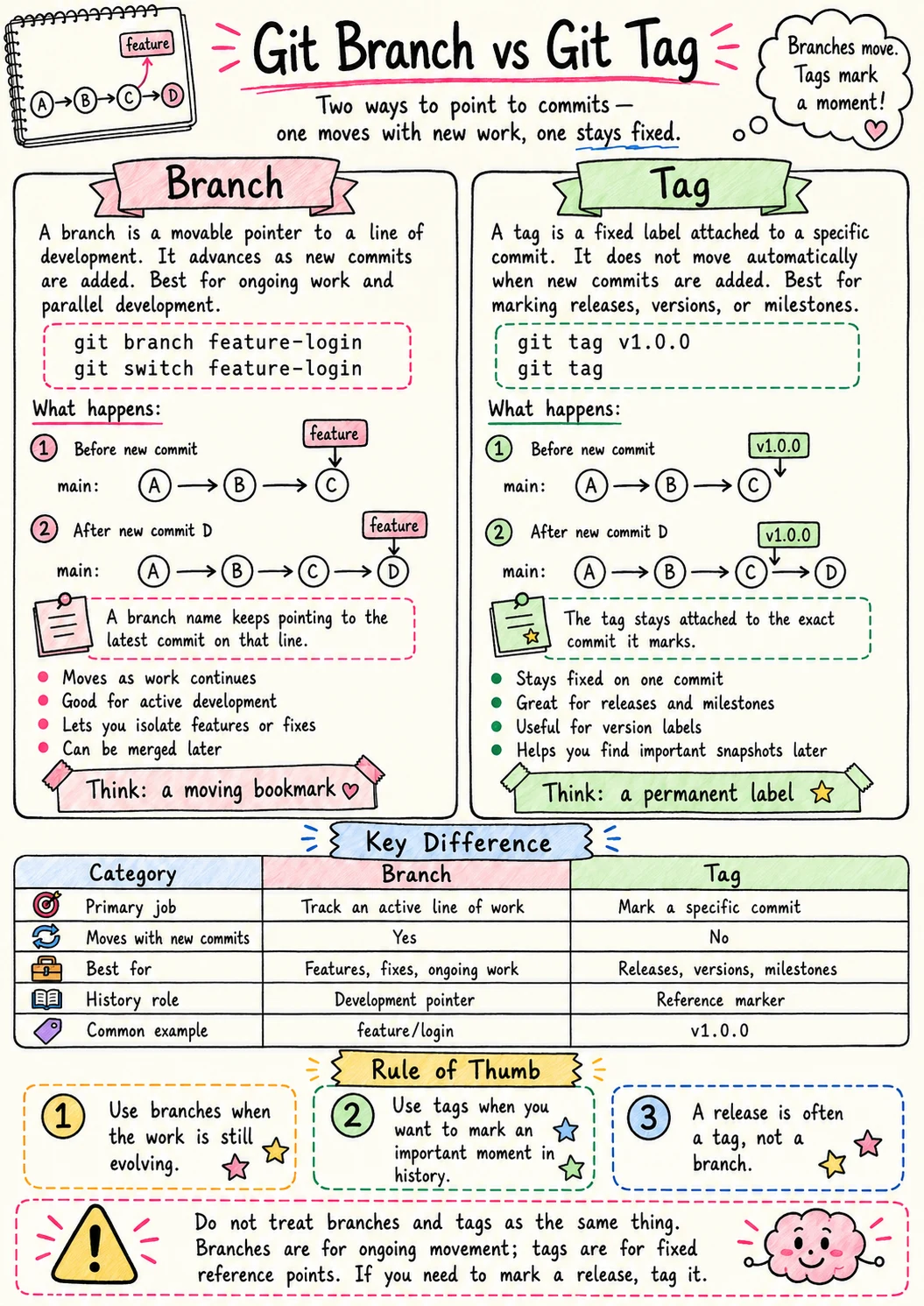
Branches are for “what if.” They are moving pointers in your history. Tags are for “I was here.” They are fixed labels for a specific moment in time.
Branch vs Worktree: Timeline vs Workspace
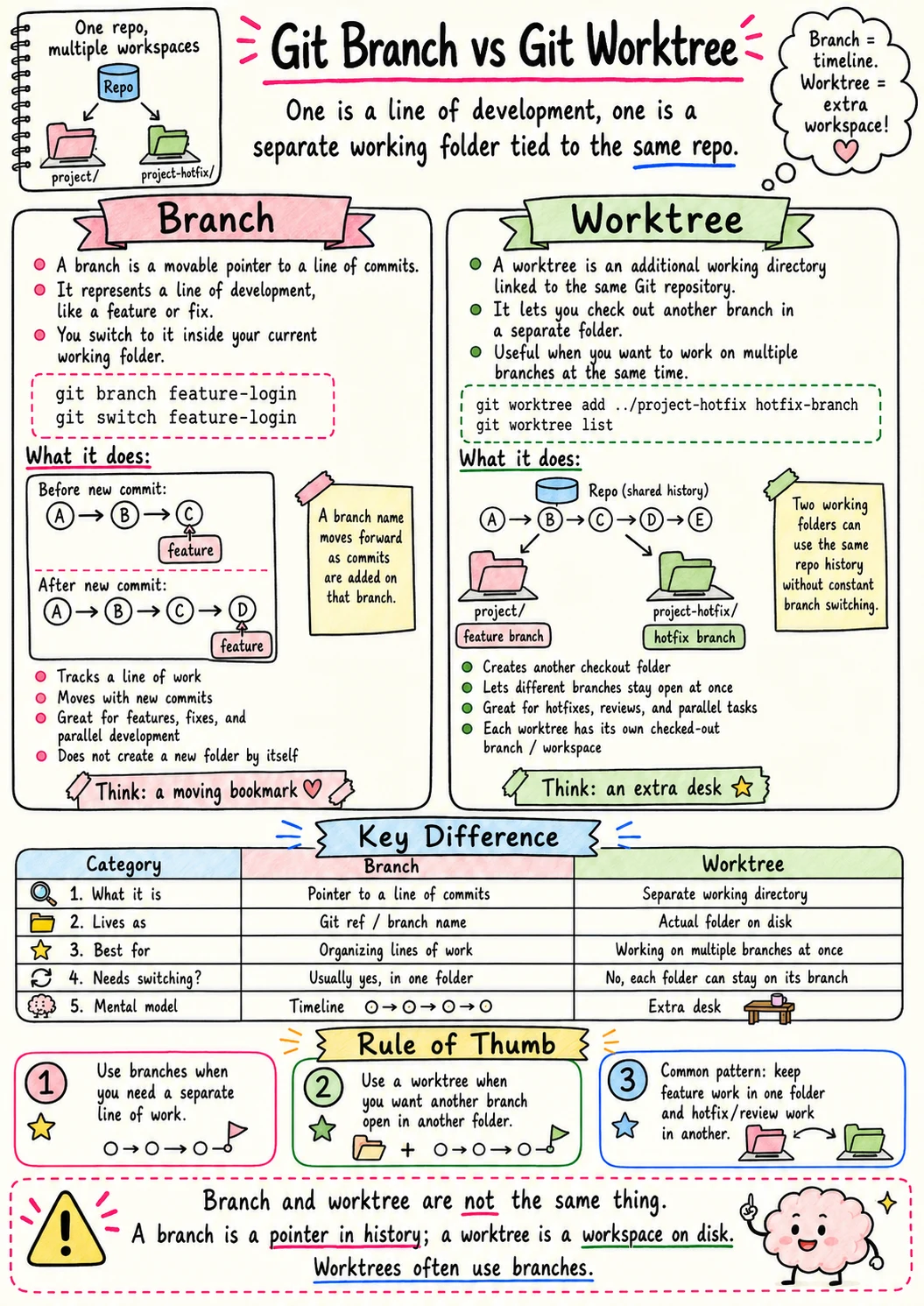
Official Git Worktree Reference
Don’t kill your flow to switch tasks. Worktrees let you have multiple versions of your project open in different folders simultaneously, attached to different branches.
Checkout vs Switch: The Old Door and the New Door
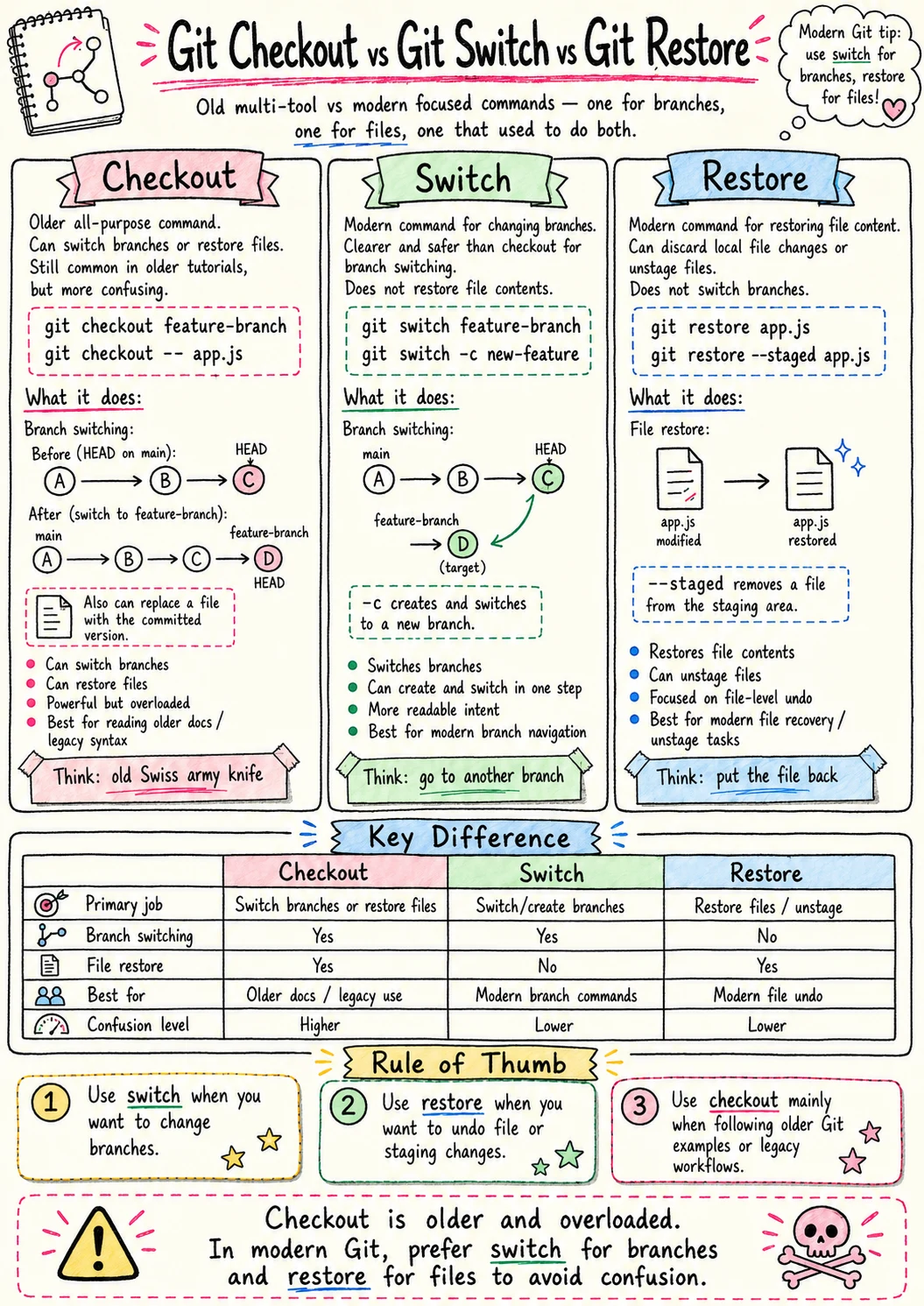 We used
 checkout for everything, which was confusing. Now switch handles branches exclusively, and restore handles files. Keep it clean.
Clone vs Fork: Copying a Repo the Right Way
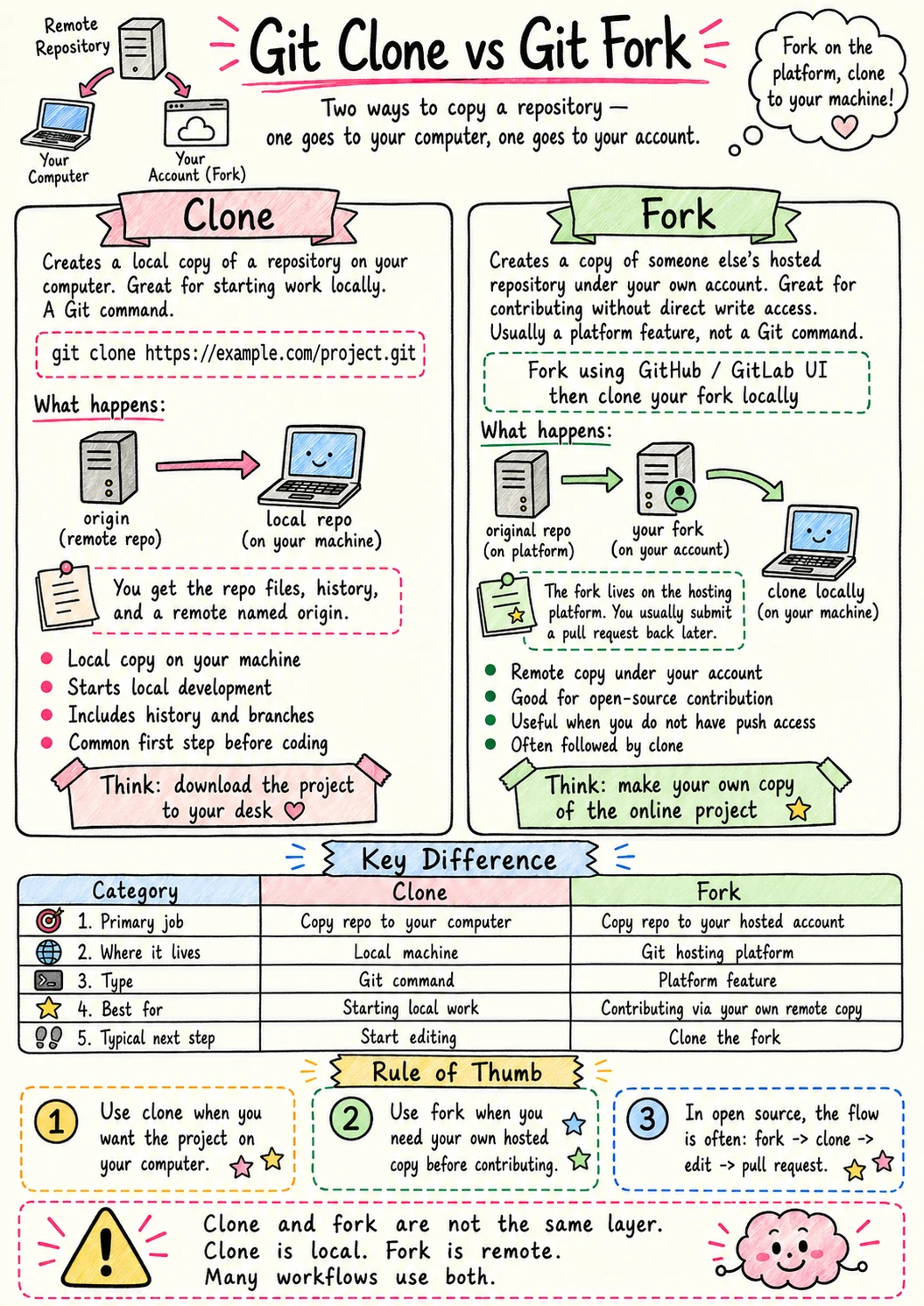 Clone creates a local copy of a repo you can access. Fork creates a server-side copy under your own account so you can suggest changes back to the original.
Commit vs Stash: Save Forever vs Save for Later
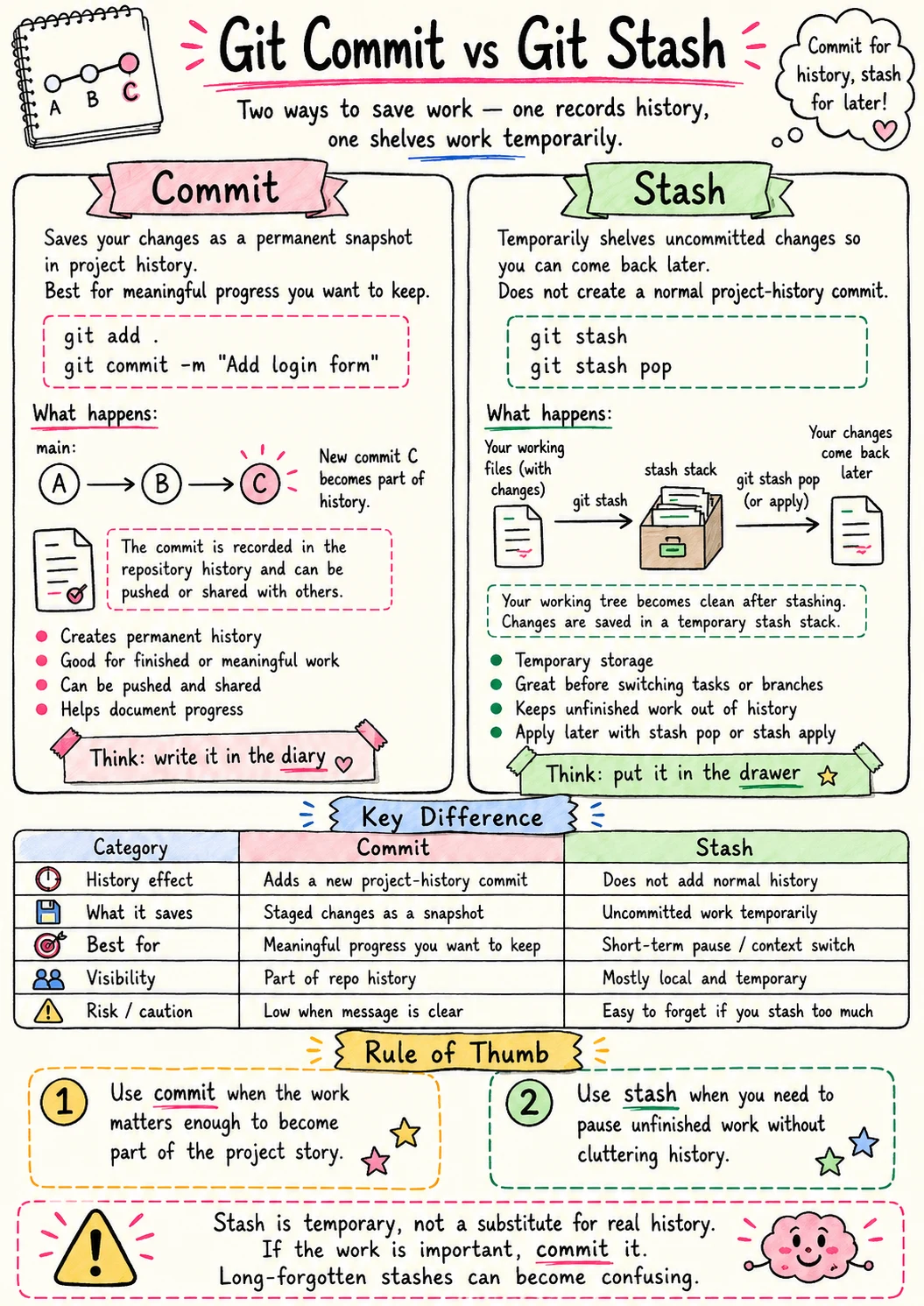 Commits are for the record—part of your project history. Stashes are a temporary “pause button.” Use stashes when you need to pivot immediately without leaving a mess.
Fetch vs Pull: Look First or Bring It In
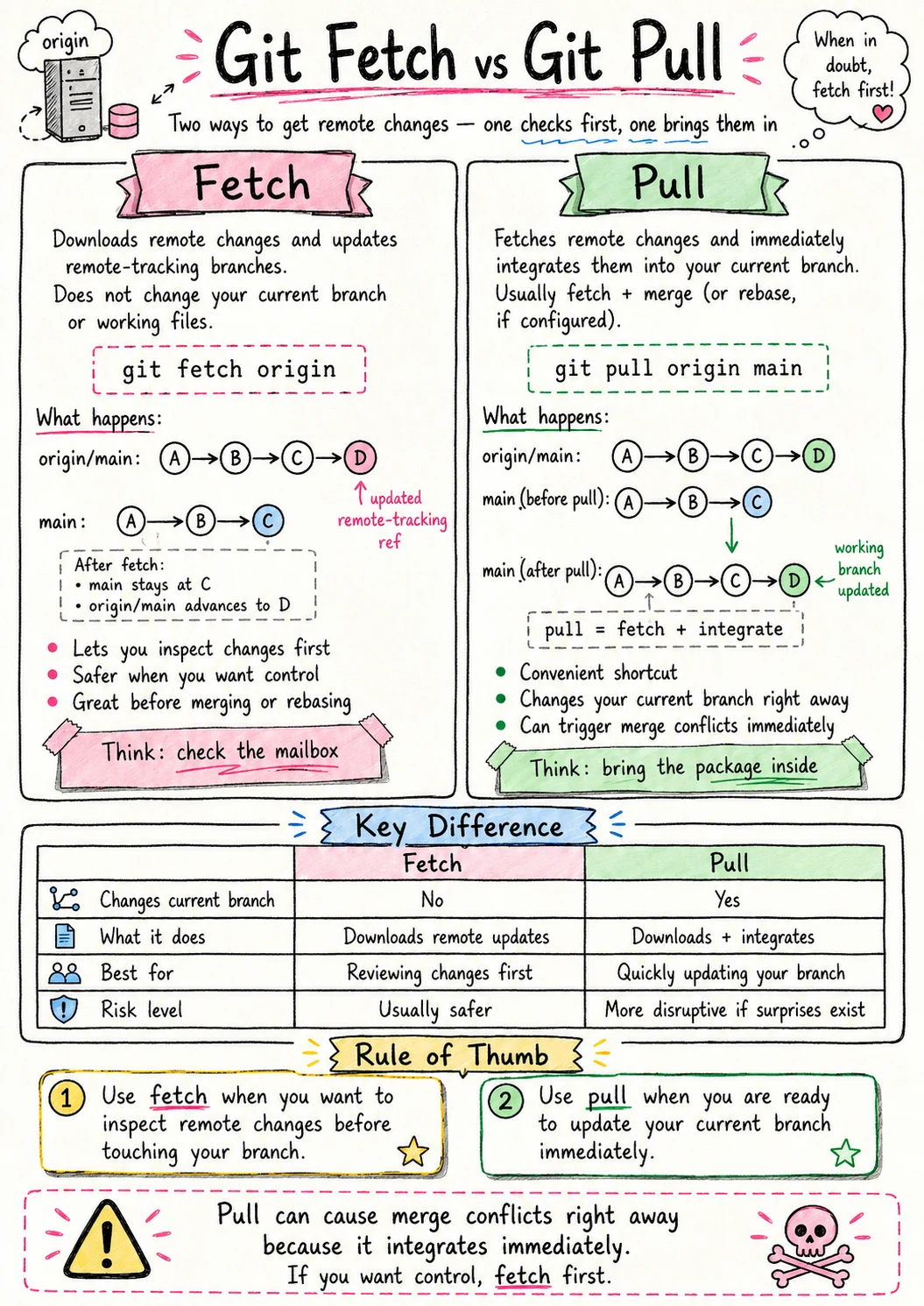 Fetch is “check for updates” (safe). Pull is “check for updates and immediately merge” (potentially messy). Fetch is always safer for your workflow.
HEAD, main, and origin/main: Where You Are vs Where Things Point
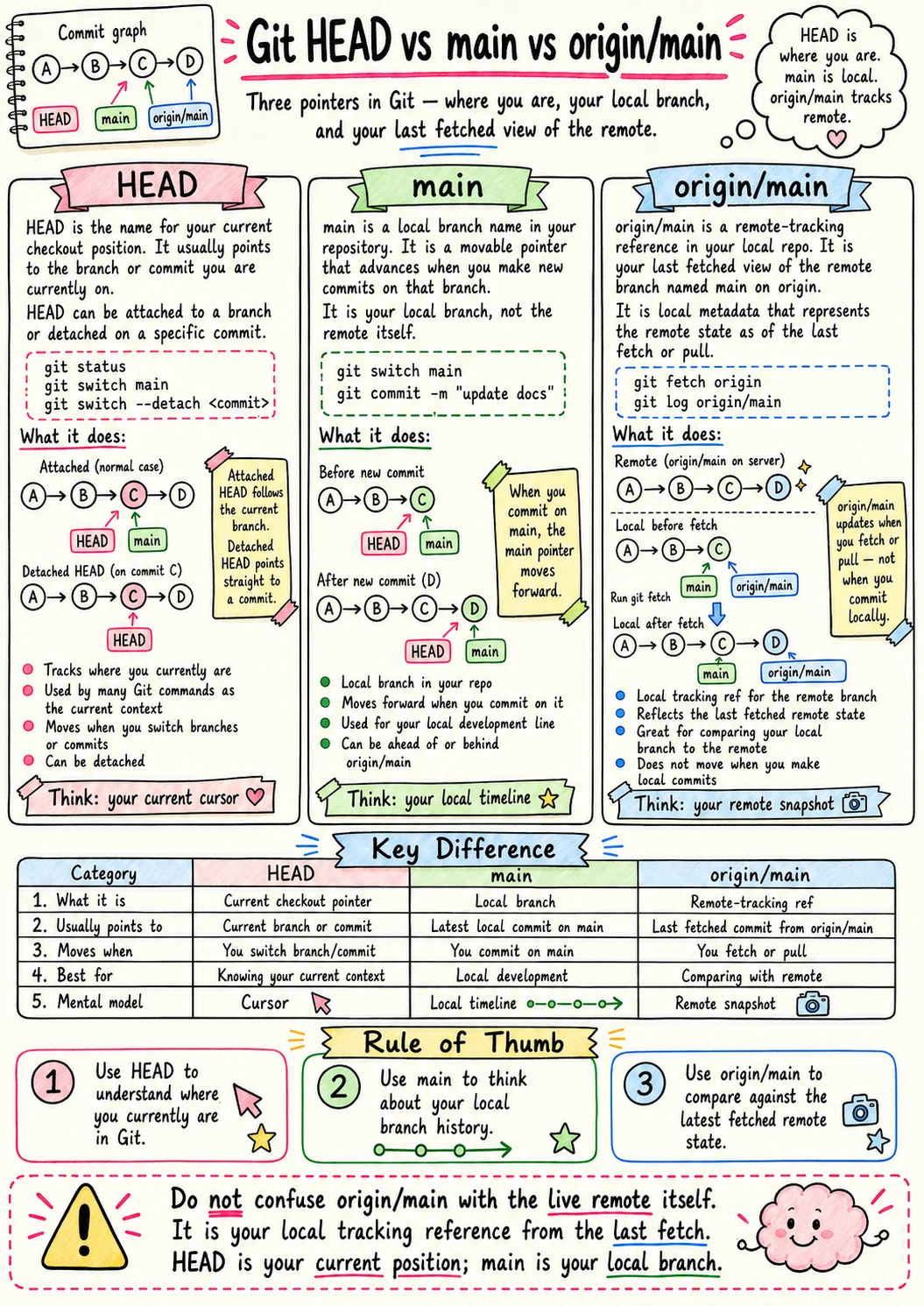 HEAD is where you are right now. main is the local destination. origin/main is the real deal on the server. Know where you’re pointing.
Merge vs Rebase: Join Histories or Rewrite the Path
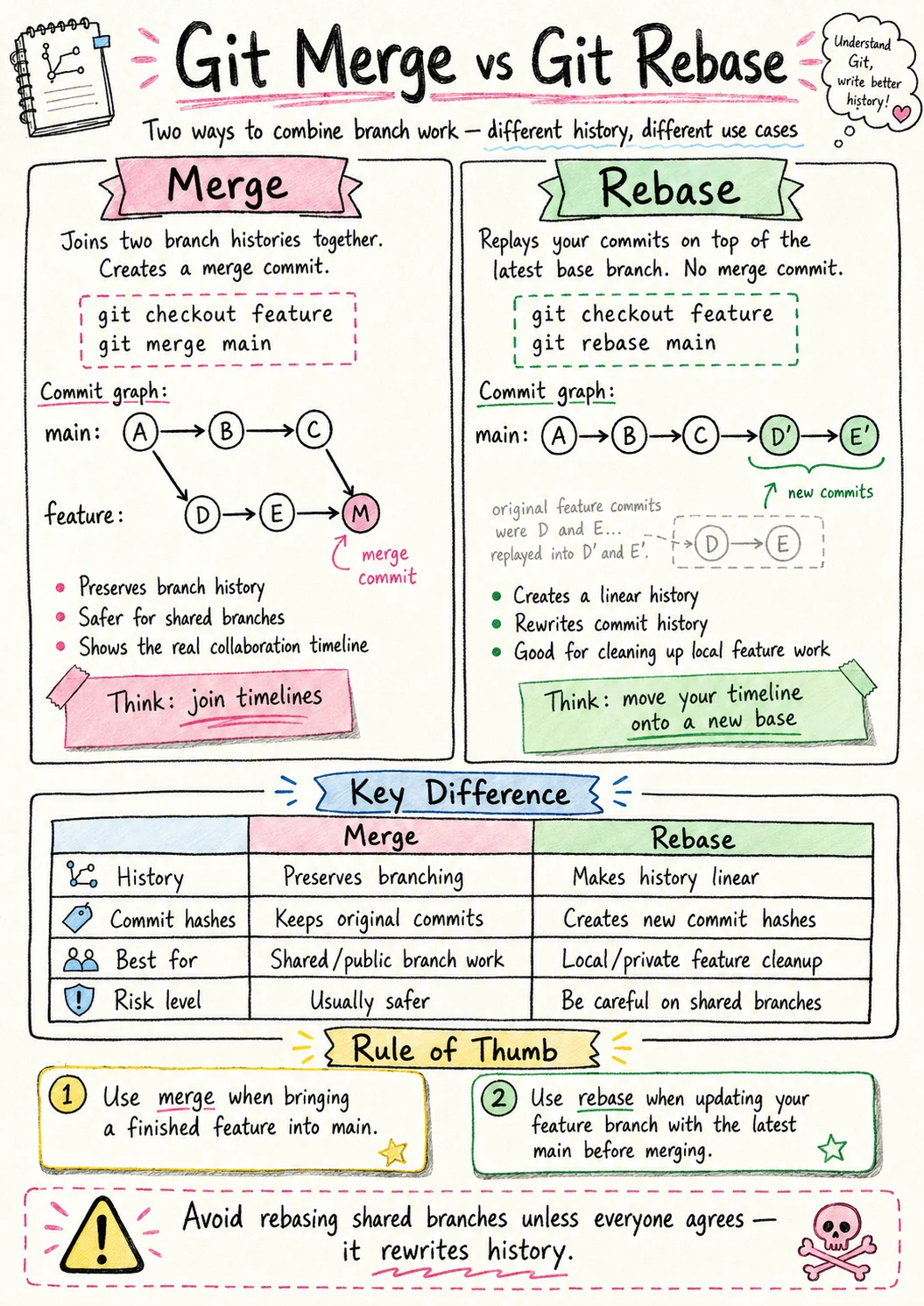
Merge is “bringing two stories together.” Rebase is “rewriting history so it looks like I did it all in order.” Choose your level of historical accuracy.
Origin vs Upstream: Your Copy vs the Source
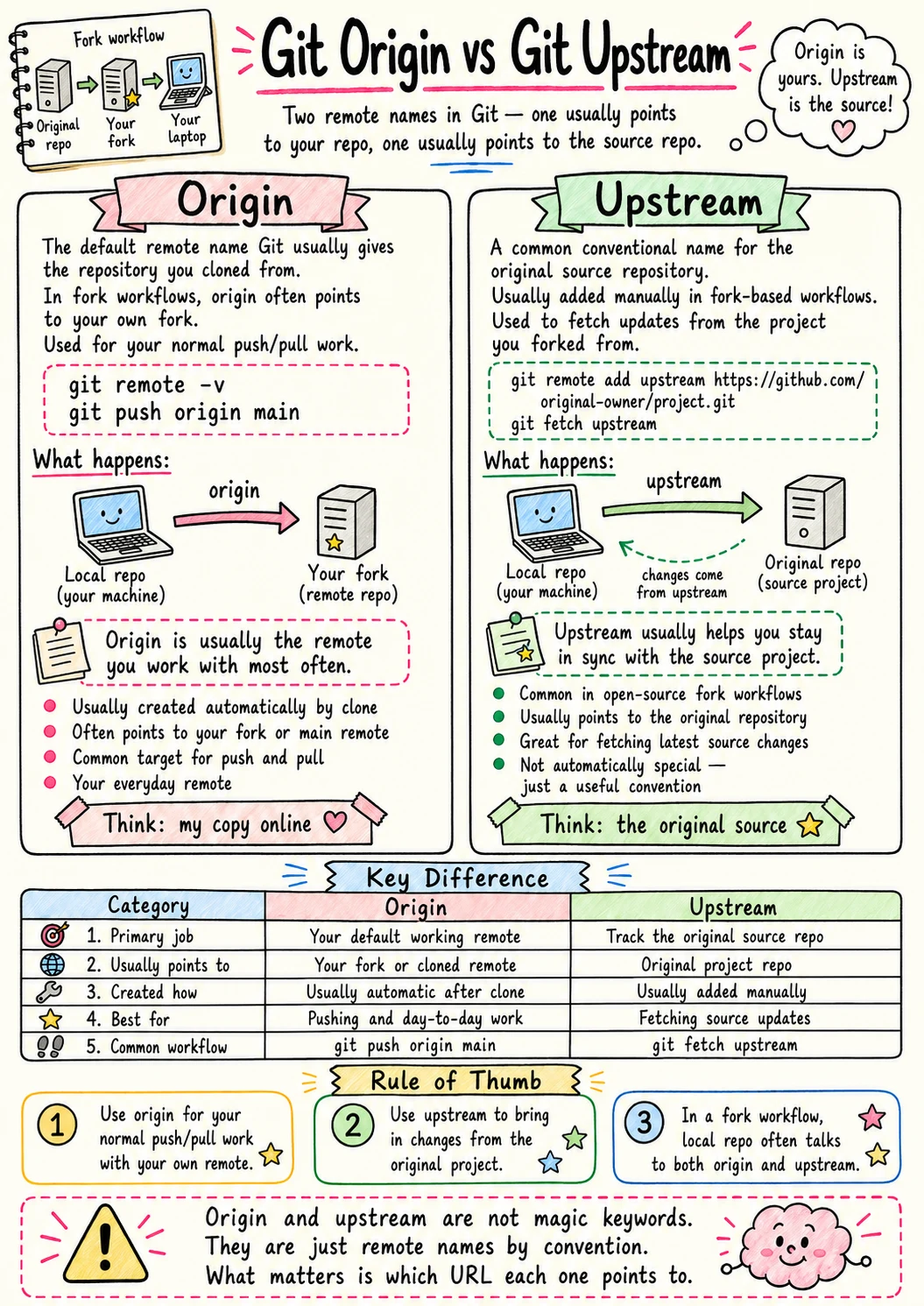 Origin is your copy on the server. Upstream is the source you forked from. Don’t mix them up when sending your work back.
Reset vs Revert: Rewrite History or Add a Fix
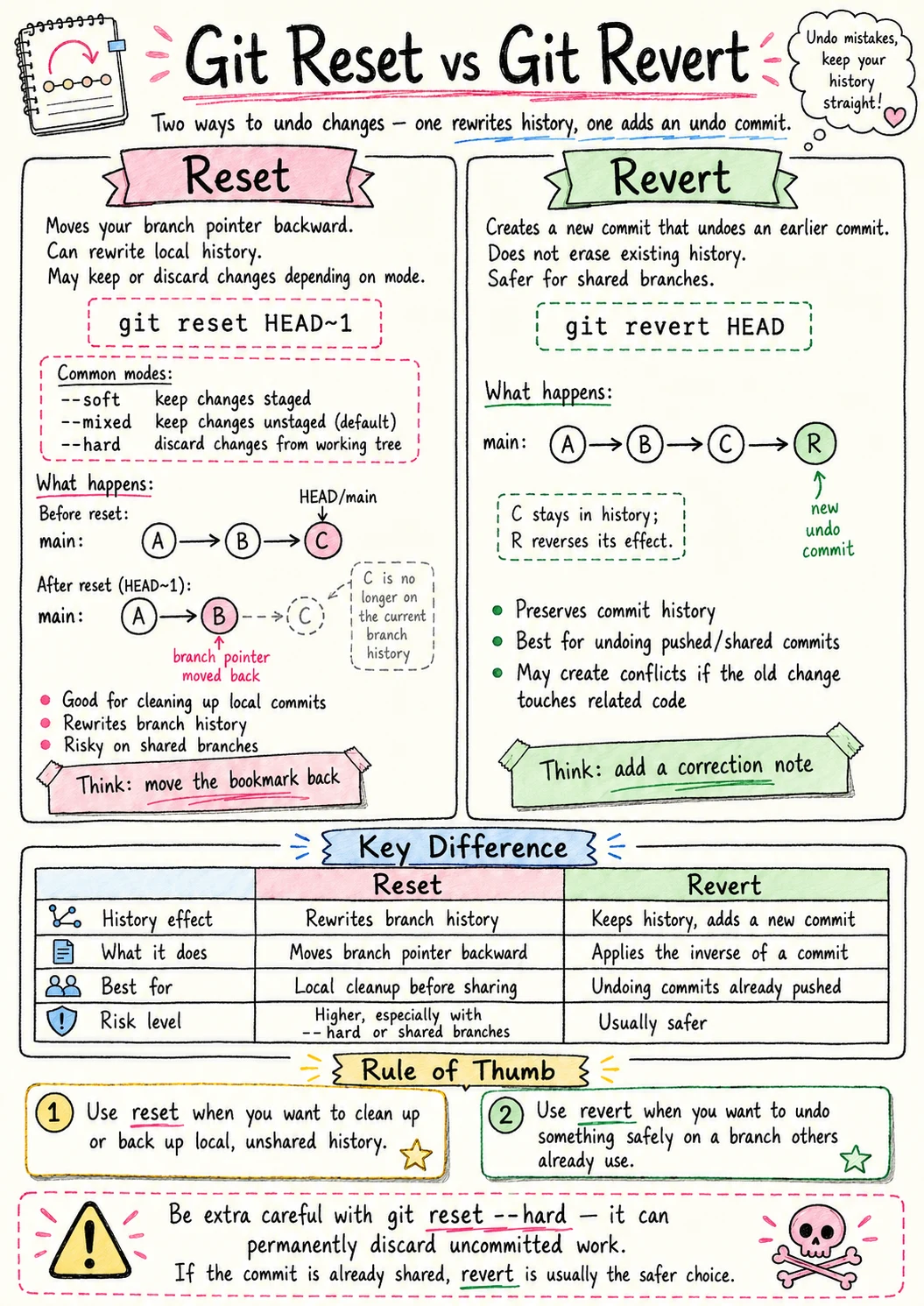 Reset is “delete the past.” Revert is “add a new commit that undoes the past.” Revert is almost always better for collaboration because you aren’t deleting history others might rely on.
Working Tree, Staging Area, Repo: Git’s Three Rooms
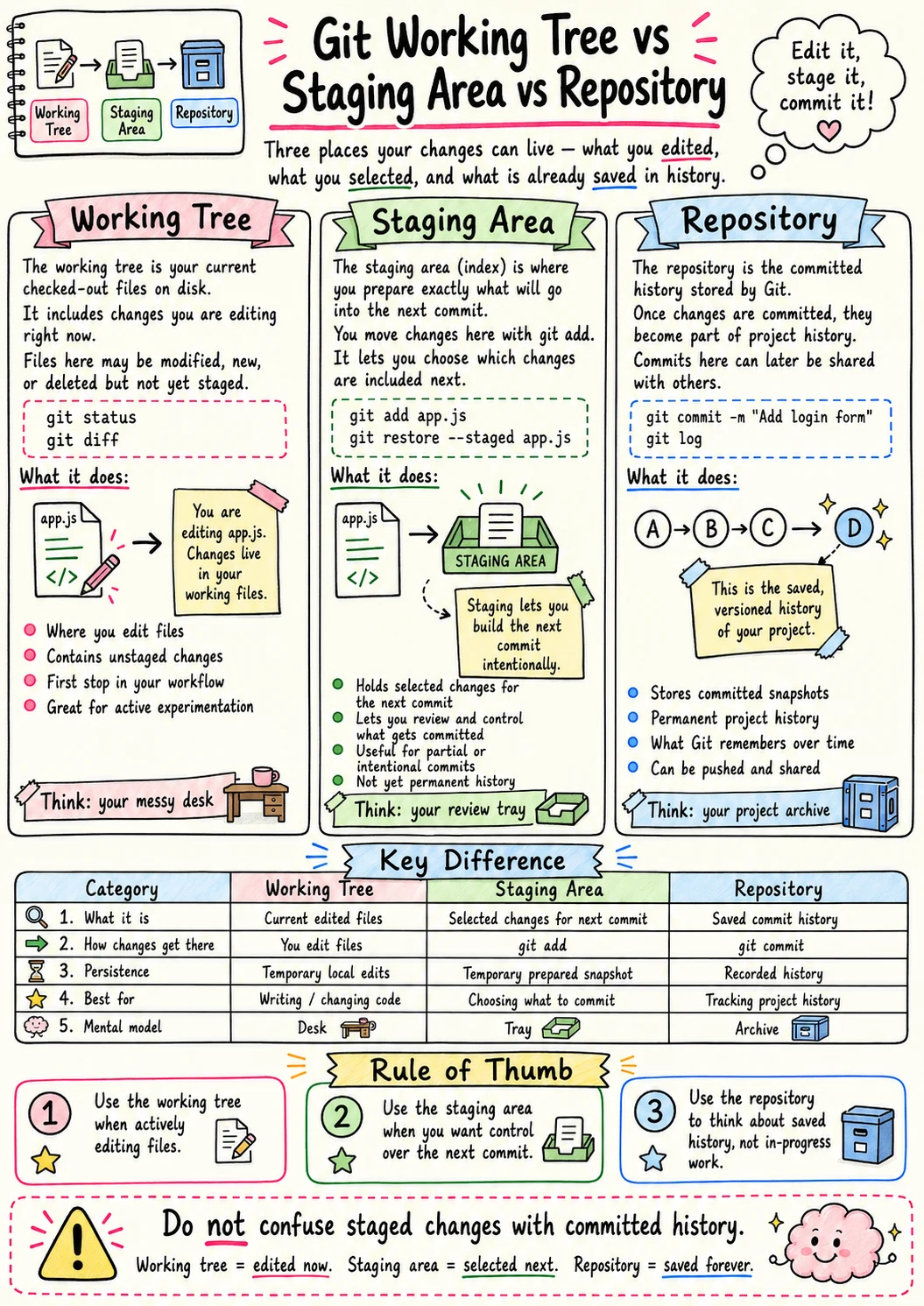 Working Tree: Where you are typing. Staging Area: Where you are packing. Repository: The vault where it is permanent. Respect the layers to maintain your state.